

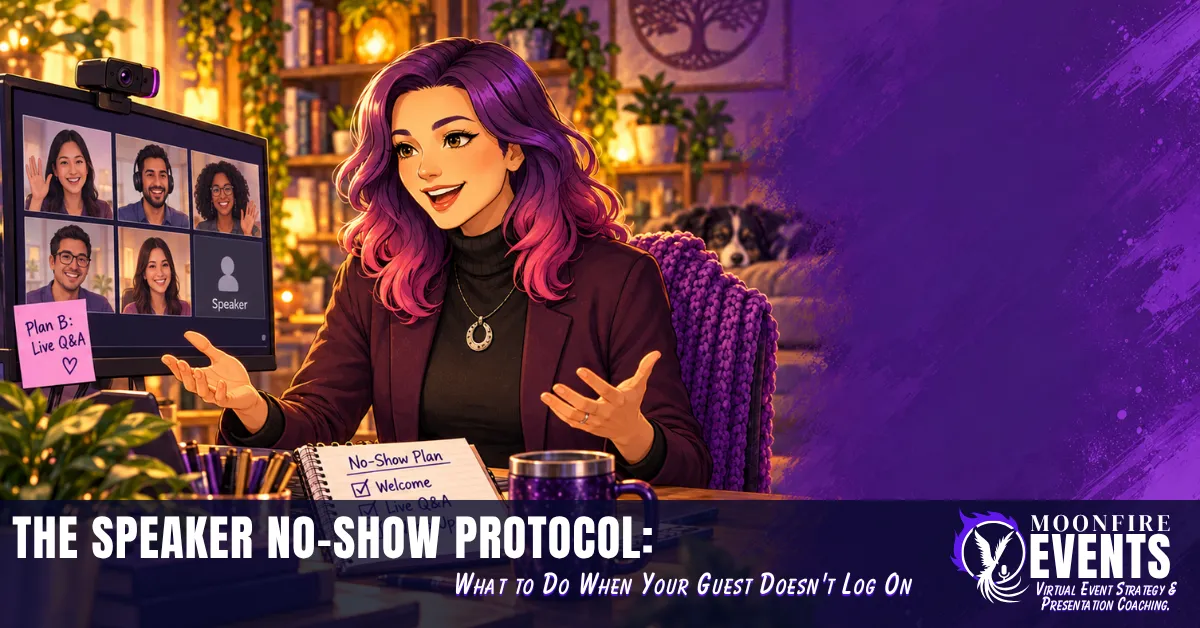
The Speaker No-Show Protocol: What to Do When Your Guest Doesn't Log On
Picture this. It's seven minutes to go-live. Your waiting room is filling up. Your slides are loaded, your lighting is finally cooperating, and your guest speaker (the person whose name is on the registration page) still isn't in the room.
You text. Nothing. You email. Nothing. You open the calendar invite for the fourth time, as if the link might have changed on its own.
And right about now, every piece of event advice you've ever read shrinks down to one unhelpful sentence: "Just stay calm and roll with it."
Here's what nobody says out loud. When you're a solopreneur running your own virtual event, you aren't just the host. You're the speaker coordinator, the tech support, the moderator, and the person who has to look relaxed on camera while all of that is happening. Big conferences often have a whole team for this moment. You have you, and maybe a co-host if you're lucky.
That's not a character flaw. It's a staffing reality. And it means you can't afford to invent your no-show plan in the moment, because the moment is exactly when your brain is least able to invent anything. (More on the science in a minute.)
The good news: a speaker no-show doesn't have to wreck your event. It can be a short, steady pivot, if you make the decisions before the event instead of during it.
I've analyzed and been involved in some capacity in over 50 virtual events, I've worked as a virtual event moderator, and I've spent thousands of hours in training, research and education on virtual events, on-camera presence and engagement. This post pulls from that, plus published event-planning guidance and brain research, to give you a plan you can actually use.
In this post, you'll get:
- A simple confirmation rhythm that catches problems early
- A clear cut-off for when "running late" becomes "not coming"
- Three fallbacks you pick ahead of time
- What to say to your attendees, live and afterward
Why "Just Wing It" Is Terrible No-Show Advice
"Stay calm and improvise" sounds wise. But look at what it actually asks of you: build a brand-new plan, under pressure, in real time, while a room full of people watches your face.
That's a lot to ask of any brain. Here's why.
Your prefrontal cortex is the part of your brain that handles planning, flexible thinking and decisions. In a review published in Nature Reviews Neuroscience, researcher A.F.T. Arnsten explains that even mild, uncontrollable stress can cause a rapid, dramatic loss of prefrontal abilities. Under stress, control shifts toward faster, more reflexive, habit-driven responses.
In plain words: the moment your speaker doesn't show is the moment your best planning brain partly goes offline. "Improvise" is advice for a brain you won't fully have access to right then.
If you're a neurodivergent host who already spends real energy juggling the moving parts of an event, a go-time surprise can feel even bigger. The research also points to a better approach.
Decide now, not then
Psychologists call it an implementation intention, which is a fancy name for an if-then plan: "If this happens, then I will do that." A meta-analysis of 94 studies by researchers Gollwitzer and Sheeran found that if-then plans had a medium-to-large effect on people reaching their goals.
There's an ADHD-specific thread here too. In a lab study by Gawrilow and Gollwitzer, children with ADHD who used if-then plans got better at holding back an unwanted response on a computer task, performing at the level of children without ADHD. It's one study, with kids, in a lab, so don't read it as a guarantee for adult event hosts. But it's a hopeful signal that deciding in advance can help ADHD brains too.
Permission slip: Stop trusting "future you" to figure it out live. Future you will be stressed and on camera. Present you has time and a cup of coffee. Let present you do the thinking.
Here's my soapbox moment. Corporate conferences often pay speaker managers, stage managers and producers whose whole job is this exact moment. Then the same industry turns to solo hosts and says, "Just be flexible." That's not flexibility advice. That's a staffing gap with a motivational poster stuck on it.
Rebel action: Write your no-show plan before you confirm your speaker. Not the night before the event. Before.
Prevention: The One-Week, One-Day, One-Hour Check
The easiest no-show to handle is the one you see coming. Sometimes a speaker problem shows up early: a missed reply, a skipped tech check, slides that never arrive. A confirmation rhythm helps you notice those signals while you still have options.
HeySummit's event contingency plan template recommends a one-week, one-day, one-hour rhythm: confirm availability well ahead, reconfirm close to go-live, and keep a fallback ready for the final hour. Airmeet's guide to speaker cancellations suggests confirming in writing at booking, a week before and the day before, holding a tech rehearsal, and using a written agreement that spells out responsibilities.
Put together, here's a solo-friendly version:
- At booking: Confirm in writing: date, start time, the event link, and what you need from them.
- One week out: Reconfirm, schedule the tech check, and ask for their slides and bio.
- One day out: Send a short reconfirmation with the link.
- One hour out: Do a quick check-in, so you know whether you're running Plan A.
Quick 101: A tech rehearsal (or tech check) is a short session before the event where you and your speaker test audio, video, screen sharing and the link. Think of it as a dress rehearsal for the equipment, not the talk.
Now, the gremlin that shows up here: "I don't want to bug them." Here's the glimmer: clear expectations are a kindness to busy speakers. They know exactly what's coming and when.
Permission slip: You're allowed to ask your speakers for things. Slides by a deadline. A tech check. A reply to your confirmation email. Asking isn't being difficult. It's producing.
Imagine if a speaker confirms enthusiastically at booking, then skips the tech check and goes quiet the week before. With a rhythm in place, you notice on day seven, not minute seven. You have days to follow up, adjust or reschedule, instead of minutes.
If remembering to follow up isn't your brain's favorite job, put all four checkpoints on your calendar the day you book the speaker. Then the system remembers for you.
Rebel action: Put the confirmation rhythm in your speaker agreement or welcome email, so it's an expected part of working with you, not a surprise nudge.
Draw the Line: When "Running Late" Becomes "No-Show"
Often the hardest part is not knowing. Are they two minutes late, or not coming at all? Without a line, you wait. And wait. And your attendees watch you wait.
HeySummit's template treats a speaker as a no-show if they aren't present 10 minutes before the live start. That doesn't have to be your number. But you need a number, and you need to pick it before event day.
When someone is missing, Airmeet suggests first confirming whether it's a delay or a real cancellation, then letting your team know. As a solo host, "your team" might be a co-host, a moderator, a virtual assistant, or just you.
Write your escalation path
Quick 101: An escalation path is simply a written answer to "who does what when something goes wrong?" HeySummit breaks it into four questions:
- When does a speaker count as late?
- Who contacts them?
- Who can decide to switch plans or reschedule?
- What do attendees get told?
Answer those four questions in writing, and then turn them into if-then lines. For example:
- If my speaker isn't in the room 10 minutes before start, then I send one text and one email with the link.
- If they're still not here at start time, then I open on time and switch to my chosen fallback.
- If they join late, then I decide ahead of time whether to bring them in or save them for a rescheduled session.
Google Meet tip: add a co-host
If you run your events on Google Meet, check whether your plan includes co-hosts. On eligible Google Workspace editions, Host Management lets you add up to 25 co-hosts, either before the meeting in Google Calendar or during it from the People tab. A trusted co-host with host controls can help manage the room while you track down your speaker.
Permission slip: You don't have to hold a room full of people hostage while you hope. Starting on time respects the people who showed up.
Rebel action: Start on time, no matter what. Your attendees are your event, not just your speaker.
Your Three Fallbacks (Pick One Before the Event)
This is where the if-then plan pays off. Choose one fallback for each session before the event, and write it into your run-of-show (the minute-by-minute plan for your event). When the moment comes, you're not deciding. You're just doing.
Fallback 1: Live Q&A or a facilitated audience discussion
HeySummit suggests turning the empty slot into a moderated panel or live Q&A. For a solo host, that can be as simple as an open conversation with your attendees about the topic they came for.
This works best if you: know the topic well enough to guide a conversation, and your audience shares a common problem they'd like to talk through.
To prepare, keep two or three discussion prompts in your run-of-show for every guest session. If you never need them, nothing is lost.
This is where moderator skills shine: keeping a conversation moving, pulling questions from the chat, and making room for quieter voices.
Fallback 2: A pre-recorded version (only if one exists)
Airmeet lists pre-recorded talks as a backup option, and HeySummit adds an important qualifier: use a pre-recorded version only if one exists. Don't count on this unless you arranged it.
This works best if you: asked the speaker in advance for a recording of the talk, and you've tested playing a video with sound on your platform before event day.
You don't need a recording from every speaker. Ask when the session is high-stakes, or when the speaker is the main reason people registered.
Fallback 3: Reschedule
Sometimes the honest answer is "not today." HeySummit's template lists rescheduling as a fallback, followed by updating your event page, reminder emails and replay plan.
This works best if you: know the speaker is the main reason people signed up, and a substitute session wouldn't give them what they came for.
Even if you reschedule, still open the room on time. Explain what happened, share the new date if you have it, and give people something useful for showing up.
DIY or bring in help?
DIY works best if you: run smaller events, feel steady switching roles on camera, and have your fallback already written down.
A co-pilot or moderator helps if you: are hosting, presenting and running the tech at the same time. Someone else can chase the speaker while you hold the room. I've worked as a virtual event moderator, and that role exists for moments like this one.
Why does picking in advance matter so much for ND brains, or any brain under pressure? Because every decision you remove from go-time is one less thing your stressed prefrontal cortex has to handle live.
Rebel action: Back up your back-up plan. That's straight from the WordCamp organizer handbook. If your fallback is a recording and the video won't play, your backup is the Q&A prompts already sitting in your run-of-show.
What to Tell Your Attendees, Live and After
Your attendees don't need the whole story. They need to know what's happening next.
Airmeet recommends a calm, factual announcement. Here's a template you can keep in your run-of-show and read word for word:
"Hi everyone, thank you for being here. Quick update: [Speaker] isn't able to join us today. Instead, we're going to [your fallback]. [If rescheduling: We'll email you the new date.] Let's make the most of the time we have together."
Permission slip: Stop over-apologizing. One clear sentence of acknowledgment, then move forward. A speaker no-show is a production problem, not a personal failure.
After the event
- If you rescheduled: Update your event page, reminder emails and replay plan, as HeySummit recommends.
- Send something useful: Airmeet suggests offering attendees extra resources after a cancellation, such as an eBook, a free future registration or access to on-demand sessions.
- Debrief: In the recovery stage of the Live Event Lifecycle, write down what worked and what didn't, then update your no-show plan so it's ready for next time.
Key Takeaways
- Write your no-show plan before you confirm your speaker.
- Put the one-week, one-day, one-hour check on your calendar the day you book.
- Pick your cut-off time and write your if-then lines.
- Choose one fallback per session, plus a backup for that fallback.
- Keep a short attendee announcement ready to read word for word.
A speaker no-show isn't a verdict on you as a host. It's a production problem, and production problems can have plans. You don't need a big team or a big budget. You need decisions made in advance, by the calm version of you.
Want more brain-friendly strategies for producing and presenting your virtual events? Connect with me on LinkedIn.