
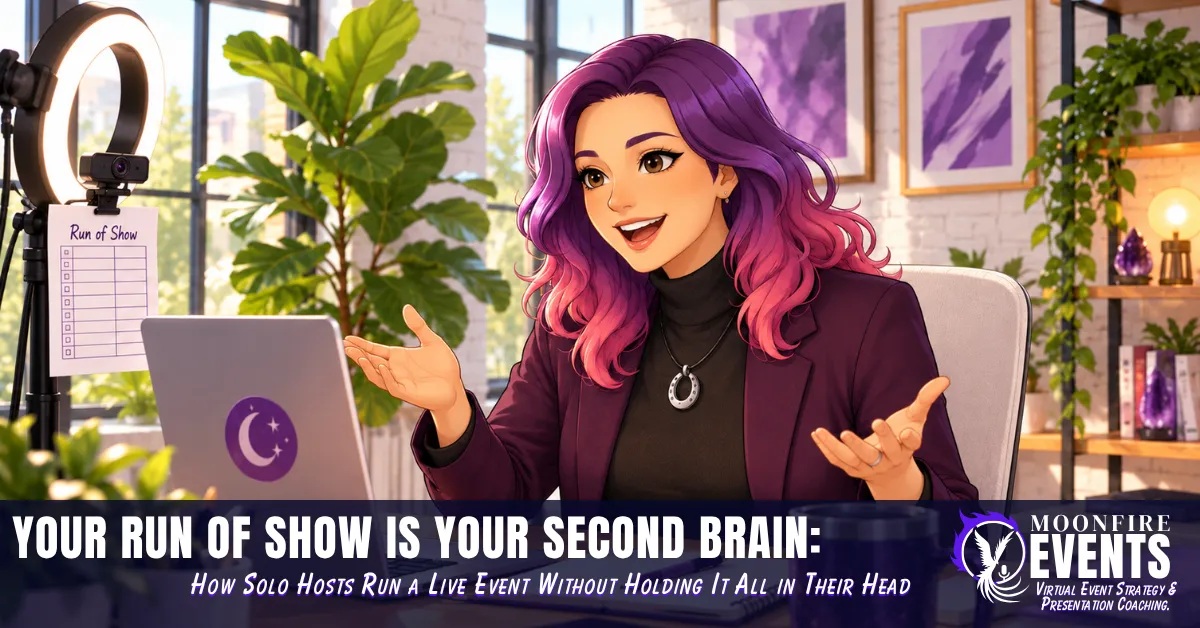
Your Run of Show Is Your Second Brain: How Solo Hosts Run a Live Event Without Holding It All in Their Head
Picture this: you're 25 minutes into your live workshop. You're mid-story, the energy is good, people are typing in the chat. Then a question pops up that you want to answer, and while you're answering it, a tiny voice in the back of your head asks: wait, does the poll come before the demo or after it? And did I already drop the worksheet link?
You finish your answer. You smile. And for the next two minutes, half your brain is backstage, frantically flipping through a plan that only exists in your memory.
If you've ever run a virtual event on your own, you know this feeling. You're the Performer, the person on camera holding the room. You're also the Producer, the person who knows what happens next, which link goes where, and when to stop talking so the Q&A doesn't eat the ending. Doing both at once is a lot, and nobody hands solopreneurs a crew.
Here's the good news: you don't need a crew to stop carrying the whole event in your head. You need a run of show. Not a giant corporate spreadsheet built for a production team with headsets. A simple, one-page plan that holds the event for you, so you can actually be with the people who showed up.
I've analyzed and been involved in some capacity in over 50 virtual events, and I've worked as a virtual event moderator. A run of show was part of that moderator work. I also use one for my own events: mine lives in a Google Sheet. And as someone who was diagnosed with ADHD as an adult, I'll tell you plainly: my memory is not where my event plan belongs.
In this post, you'll learn what a run of show actually is (and how it's different from your agenda), why your brain will thank you for building one, the five columns a solo host needs, why most templates don't fit you, and when it's time to hand your run of show to a second person.
A Run of Show Isn't Your Agenda
Let's start with the 101, because these two are easy to mix up.
Your agenda is what attendees see. "Welcome, three key ideas, live demo, Q&A." It's the promise of what they'll get.
Your run of show is what happens backstage. It's the timed, internal plan that says who's talking, what happens at each transition, what tech needs to happen, and what to do if something runs long. Remo describes it as a minute-by-minute document and says it's "not to be confused with an event agenda". Vimeo describes a webinar run of show as a schedule, usually a spreadsheet, that lists who's on, the transitions between them, and the cues that move everyone to the next segment.
Think of it like a recipe card next to the stove. Your dinner guests only need to know what's for dinner. You need to know when the oven gets turned down.
Without a run of show, every one of those backstage moments lives in your head. The poll timing, the link you meant to share, the reminder to mention the replay. You're holding all of it while also trying to sound warm and present on camera.
Permission slip: You do not need a giant spreadsheet with a column for every camera angle. If you're running a 60-minute event by yourself, a crew-sized document is just more to manage.
Imagine if a solopreneur took her one-line agenda item, "Live demo (10 min)," and turned it into a run-of-show row: the start time, "I'm talking, screen share on," "open the demo tab before I start," and "if it runs long, skip example two." Same 10 minutes. Completely different level of calm.
Rebel action: Take your current agenda and add just one backstage note to every line. That's version one of your run of show.
Why Your Brain Will Thank You
There's a name for what a run of show does for you: cognitive offloading. Researchers Evan Risko and Sam Gilbert define it as "the use of physical action to alter the information processing requirements of a task so as to reduce cognitive demand." Setting a reminder on your phone is one of their examples. Writing down your event plan so you don't have to remember it live is the same move.
Here's why that matters even more for many of us with ADHD. Working memory is the mental notepad you use to hold and juggle information in the moment. In one study of adults with ADHD, the ADHD groups showed significant weaknesses compared with controls on working memory tests that needed quick processing and active juggling of information. That's a group-level finding, not a verdict on any one person. But if live events feel like your mental notepad is overflowing, you're not imagining it, and you're not "bad at events."
And live hosting is pretty much the definition of quick processing and active juggling. You're reading the chat, watching the clock, reading faces in little video tiles, and keeping track of where you are in your own content.
So stop asking your working memory to also hold the whole plan. Put it somewhere you can see it.
Medicine offers a striking example. In 2009, a study in the New England Journal of Medicine tested a one-page surgical safety checklist that takes only a few minutes to complete, across eight hospitals in eight cities. Major complications fell from 11% to 7%, and inpatient deaths fell from 1.5% to 0.8%. Your workshop is obviously not surgery. But the principle carries over: when the pressure is on, a simple written plan helps skilled people do what they already know how to do.
Permission slip: Stop trying to memorize your event. Needing notes is not unprofessional. The surgical teams in that study worked from a written checklist.
Here's how I keep mine in view: my run of show is stuck to my screen right next to my camera. That way I can follow along without looking away to check it.
Rebel action: Decide where your run of show will live while you're on camera before the event starts, not when you're already scrambling. Try placing it right beside your camera so you can glance at it without turning away.
The Solo Host's One-Page Run of Show
Vimeo's guide suggests including timing, content segments, active speakers, cues, audio and tech notes, and backup plans, with sample columns like Item, Time, Start, End, Activity, Tech, and Notes. That's a solid list for a team. For a solo host, you can fold it into five columns that each answer a question you'd otherwise ask yourself live.
- Time. When does this segment start? Write the clock time, not just the length, so a glance tells you if you're ahead or behind.
- Segment. What's happening, in a few words. "Story: my first event," "Poll," "Demo."
- Who's talking. You, a guest, a video, or the chat. Even solo, this reminds you when to stop talking and let the room respond.
- Tech cue. The one action that has to happen. "Open poll," "Share screen," "Drop worksheet link in chat," "Stop share."
- If it goes sideways. Your pre-decided fallback. "If behind, skip story two." "If no one answers the poll, share my own answer."
That fifth column is the secret weapon. When something runs long, you don't have to make a decision under pressure. You already made it, calmly, days ago.
Then there's buffer time: a little extra room between segments so one delay doesn't knock everything after it off schedule. Remo recommends building buffers between activities, and its example blocks 40 minutes for a 30-minute session. That's one approach. My own buffers are much smaller: about 30 seconds to a minute, max. Pick the size that fits your event and your energy.
Imagine if a solopreneur's 60-minute workshop looked like this on her sheet: welcome and housekeeping, a short opening story, the first teaching point, a poll, a demo, the second teaching point, Q&A, and a wrap-up with the replay mention. Every row has a start time, a "who," one tech cue, and one fallback. Now picture the Q&A running long because people are actually engaged. She glances at the page next to her camera, sees "If behind: shorten wrap-up, skip recap slide," and keeps going without missing a beat. Nobody watching knows anything changed.
Permission slip: You can cut a segment live. Your run of show is a map, not a contract. Following the people in the room beats following the plan perfectly.
Rebel action: Before your next event, fill in the "If it goes sideways" column for every row. Write your cut list while you're calm, so you don't have to write it while you're live.
Why Most Run-of-Show Templates Fail Solo Hosts
Time for a mini soapbox.
Many run-of-show guides are written with a team in mind. Remo's suggests an owner for each task. Vimeo's notes that listing active speakers helps the tech team know which mics and cameras to use. That's great advice if you have a tech team.
If you're running your events solo, you don't. And when you download a template built for a crew, two things happen. Either you spend hours filling in columns that don't apply to you, or you look at it, feel behind, and decide run of shows are "for real events." Neither one helps you.
Here's the thing: a template that assumes a production crew isn't a professional standard. It's just a different situation. Your one-page version isn't the budget knockoff. It's the right tool for the event you're actually running.
The second piece of advice I want to call out: "Change something every 10 minutes because attention drops after 10 minutes." You've probably heard some version of this rule. But when physiologist Neil Bradbury reviewed the research behind the classic "attention drops after 10 to 15 minutes" claim about lectures, he found it rests mostly on citations of earlier work rather than original data, and that the primary data don't support a 10 to 15 minute limit. The most consistent finding? Differences between teachers explain more of the variation in attention than the format does.
In other words: the teacher mattered more than the format. That's a lot more power in your hands than an arbitrary timer gives you. If your story needs 14 minutes and the room is with you, you don't have to chop it into pieces because a rule told you to. And if a section is dragging at minute six, you don't have to wait for minute ten to change it.
Build your run of show around your content and your energy. Not around somebody else's crew or a rule that never had strong evidence behind it.
Permission slip: Stop forcing your event into 10-minute blocks because that's what "engaging" events are supposed to do.
Rebel action: Look at your plan and ask, for each segment, "Is this the length the content needs, or the length a template told me to use?"
DIY or a Second Person? A Quick Decision Framework
A run of show makes solo hosting a lot more doable. It also makes it easier to bring in help, because now the plan exists outside your head and someone else can read it.
Run it solo with your run of show if:
- Your event is small and has one main speaker: you.
- You only have a handful of tech cues, like one poll and one screen share.
- You've run this format before and you mostly need a guide to stay on track.
Add a co-host or moderator if:
- You want to fully focus on delivering your content and connecting with people.
- The chat is likely to be busy and you don't want to miss good questions.
- You have guest speakers, breakout rooms, or several transitions that need managing.
If you run your events on Google Meet, check whether your plan includes co-hosts. On eligible Google Workspace editions, Host Management lets you add up to 25 co-hosts, either ahead of time in Google Calendar or during the meeting from the People tab. Google's help page highly recommends adding them in Calendar before the meeting.
Hand your run of show to that second person if:
- They're managing any of your tech cues, like opening polls or dropping links.
- They're watching the clock or the chat for you.
- You want them to know your fallbacks without having to ask you mid-event.
That last one is where a run of show really shines. When I've worked as a virtual event moderator, the run of show was part of how that role worked. It's the shared plan. Your moderator or co-host shouldn't have to guess what comes next or interrupt you to ask. If it's on the sheet, they already know.
And if you're keeping your run of show in a Google Sheet like I do, sharing it is simple. Anyone with a Google Account can create in Sheets, so your helper can open the same plan you're working from.
Your Plan Belongs on the Page, Not in Your Head
Let's bring it home.
A run of show is the backstage plan your attendees never see. It's different from your agenda, and it's the thing that lets you stop holding the whole event in your working memory while you're trying to be present on camera.
You don't need a crew-sized template. Five columns will do: time, segment, who's talking, tech cue, and what to do if it goes sideways. Add small buffers that fit your event. Keep the plan where you can see it without looking away from your audience. Write your cut list before you go live. And when you're ready for help, your run of show becomes the handoff document that lets someone else step in without a single "wait, what's next?"
The goal was never to be a flawless performer and a flawless producer at the same time. The goal is to give your brain one less thing to hold, so the best parts of you can show up for the people in the room.
So here's your permission slip: build the one-page version. Stick it where you can see it. And let the page remember, so you can connect.
If this helped, let's keep the conversation going. Connect with me on LinkedIn: https://www.linkedin.com/in/claudine-land-270ab049/