

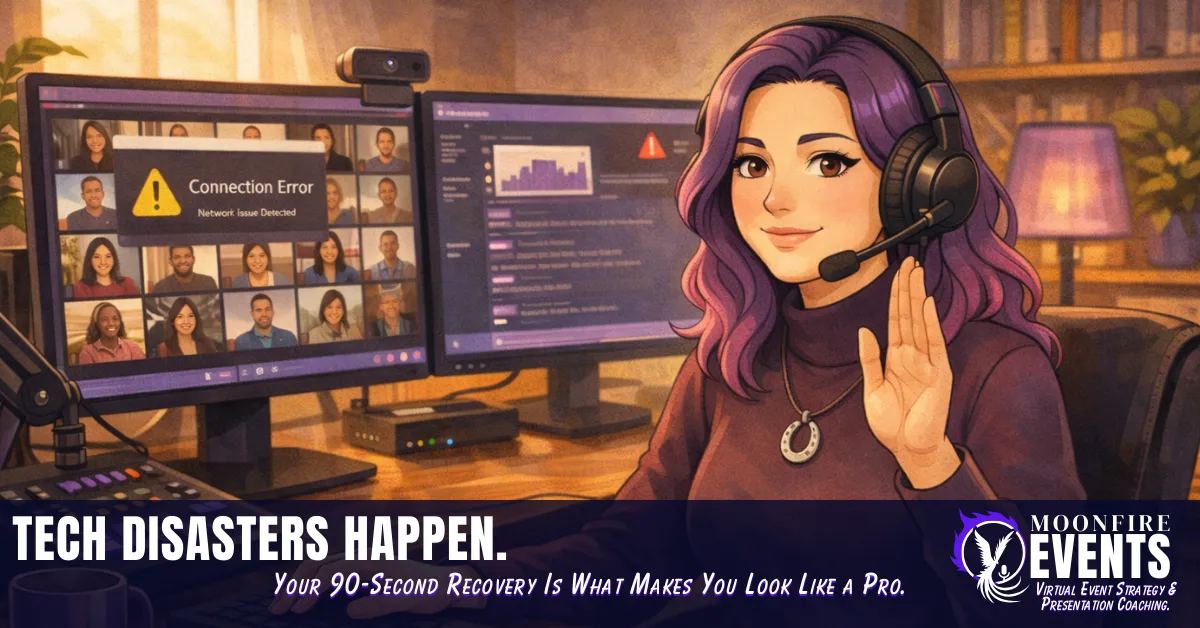
Tech Disasters Happen. Your 90-Second Recovery Is What Makes You Look Like a Pro.
MoonFire Events | The Virtual Event Whisperer | Behind the Scenes
Picture this.
You've spent weeks preparing for your virtual event. Your slides are done. Your run-of-show is written. You've tested your mic, your camera, your lighting. You've done everything right - or so you thought.
Then, two hours before your event is supposed to go live, your computer dies. Not a software glitch. Not a frozen screen you can force-quit your way out of. The hard drive. Gone. No backup. No second machine. No contingency plan.
Your attendees are already getting their reminder emails. Your speaker is warming up. And you are staring at a black screen with absolutely no path forward.
That story isn't hypothetical. It happened. I'm the one who was staring at that black screen. And the brutal lesson it taught? A 90-second recovery framework is worthless if you never planned for the disaster in the first place.
Here's what most virtual event advice gets completely wrong: it focuses almost entirely on prevention - better equipment, faster internet, platform redundancy - and almost nothing on recovery. Because prevention is tidy. Recovery is messy. And in the virtual event world, messy doesn't sell courses.
But after analyzing and being involved in more than 50 virtual events, and spending thousands of hours in training, research, and education around virtual event production, here's the pattern I keep seeing: the solopreneurs who look like seasoned pros aren't the ones with the most expensive setups. They're the ones who know exactly what to say and do in the first 90 seconds when everything goes sideways.
This post is about building that capability before you need it.
You'll walk away with the five tech disasters that hit solopreneurs hardest, a repeatable 90-second recovery framework you can use immediately, the four mistakes that make tech crises worse than they need to be, and a pre-event crisis protocol you can build in under an hour for exactly $0.
Let's get into it.
The Real Problem Isn't Your Tech - It's That You Have No Plan When It Fails
Let's be direct about something the virtual event industry doesn't like to say out loud: tech fails. It doesn't matter how much you spent on your equipment. It doesn't matter whether you're on a $15/month platform or a $500/month enterprise solution. At some point, something will go wrong while people are watching.
The solopreneurs who get into serious trouble aren't the ones whose tech fails. They're the ones who have no pre-made decisions in place when it does.
When you're producing and hosting a virtual event simultaneously - which is the reality for most solopreneurs - your cognitive load is already high. You're monitoring the chat, watching the clock, managing your speaker energy, tracking attendee engagement, and delivering or facilitating content, all at once. When a tech crisis hits that system with no protocol in place, here's what happens: your brain shifts into problem-solving mode at exactly the moment you need to be in holding-the-room mode. Those are two very different cognitive states. And you cannot be in both at the same time.
For neurodivergent brains especially, this is worth naming directly. The dual demands of producing and presenting are already taxing executive function. A sudden crisis - unpredictable, high-stakes, visible - drops you straight into a freeze or scramble response at the exact moment your audience is looking to you for calm. That's not a personal failing. That's neurology doing what it does under unexpected high-stakes load.
The solution isn't to become someone who doesn't freeze. It's to build a system that doesn't require you to think clearly under pressure, because you've already done the thinking in advance.
Permission slip: Stop treating crisis response as something you'll figure out in the moment. "I'll improvise if something goes wrong" is not a strategy. It's a gap in your pre-event system - and your audience will feel that gap live.
Rebel action: Before your next event, spend 45 minutes building your crisis protocol. Not during the event. Not after something goes wrong. Before. Pre-made decisions are what separate a 90-second recovery from a 9-minute disaster.
The 5 Tech Disasters That Hit Solopreneurs Hardest - In Order of How Often They Happen
Not all tech failures are the same, and treating them like they are wastes the precious seconds you have to recover. Here are the five most common - ordered by frequency based on patterns observed across 50+ virtual event analyses - and what each one actually needs.
1. Video Freezing or Dropping
This is the most common failure solopreneurs encounter, and the root cause is almost always the same: connectivity. Specifically, someone - the host, a speaker, or a significant portion of attendees - is streaming over a WiFi connection that can't sustain the demand.
What your audience experiences: a pixelated, frozen, or stuttering video feed that makes it hard to focus on content. If it's the host whose video drops, it immediately raises questions about whether the event is still happening.
What it needs: a calm verbal acknowledgment, an instruction to attendees ("I'm getting a connection alert - give me just a moment"), and a pre-made decision about whether to continue audio-only, switch to a backup connection, or pause for 60 seconds to restabilize.
The connectivity reality most people ignore: If you or your speakers are on WiFi, you are one competing device, one neighbor's Netflix stream, or one router hiccup away from this exact failure. The fix is simple and free - a wired ethernet connection. But if you don't have one ready, your recovery protocol needs to account for it.
2. Audio Failure
Audio is closely related to connectivity but gets its own category because the audience experience is completely different. You can watch frozen video. You cannot process content you cannot hear.
Audio failure lands harder and faster - attendees disengage within seconds of losing sound, and the chat fills up with "I can't hear anything" faster than you can type a response.
Again: connectivity is the primary culprit. WiFi-related audio degradation, bandwidth drops, and interference account for the majority of audio failures in solopreneur events. Equipment failure is less common but does happen - and it's why having a backup audio option (even your laptop's built-in mic as an emergency fallback) is worth knowing about before the event starts.
What it needs: immediate verbal or text-based acknowledgment, a clear instruction to attendees, and a pre-decided recovery path.
3. Screen Share Not Working or Crashing
Screen share failures are often permission-related (especially on Mac), resource-related (your computer can't handle the platform plus the application you're trying to share simultaneously), or simply a platform glitch.
What makes this particularly stressful for solopreneurs: your slides or visual content are often a significant part of your event structure. When they disappear mid-session, you're suddenly presenting without your safety net.
What it needs: verbal continuity - keep talking through your content while you troubleshoot - and a pre-made decision about whether to attempt a restart or continue without slides for the remainder of that section.
4. Platform Crash or Attendee Access Failure
This is when the platform itself goes down, or attendees suddenly can't get in or get dropped en masse. This is the scariest-feeling failure for most hosts because it's the one that feels most completely out of your control.
What it needs: a backup communication channel - something that exists outside the platform that just went down. An email list, a text or messenger group, a community post. If your platform crashes and your only communication method was inside that platform, you have no way to tell your attendees what's happening or where to go.
This is the failure that makes the backup communication channel non-negotiable, not optional.
5. Host System Failure
The most severe category. This is the hard drive that dies, the computer that overheats and shuts down, the catastrophic failure with no quick path to recovery.
Unlike the others, this one sometimes cannot be recovered from in 90 seconds - or at all.
That's exactly why it belongs in this list. Because the lesson of this failure isn't about recovery. It's about what you build before the event to give yourself any options if it happens. A second device ready to go - even a phone or tablet as an emergency fallback - a co-pilot who can hold the room while you troubleshoot, a clearly communicated backup plan in your pre-event attendee communications.
Without any of those, a system failure is a cancellation. With even one of them in place, it's a recovery story.
The 90-Second Recovery Framework
Here it is. Four steps. One clear sequence. Built to be executable even when your nervous system is firing on all cylinders.
Acknowledge → Stabilize → Communicate → Continue
Acknowledge (0–15 seconds)
Name it. Briefly, calmly, one sentence. Do not go silent. Silence is the worst thing you can do in a virtual event crisis because your audience will fill it immediately with their own worst-case assumptions - "Is this over? Did I get dropped? Is she okay?"
You don't need to explain everything. You just need to let them know you're aware and you're handling it.
Example: "We've just hit a tech snag - give me just a moment and we'll be right back with you."
That's it. Twelve words. Done.
Stabilize (15–45 seconds)
Execute your pre-made decision. Not improvise. Not problem-solve from scratch. Execute the decision you already made during your pre-event protocol building.
This is where your Disaster Map (more on that shortly) does its job. You're not thinking "what do I do?" You're executing "step two for audio failure: switch to laptop mic and continue." The difference in those two experiences - for your brain and for your audience - is enormous.
Communicate (45–75 seconds)
Keep your audience oriented. Give them something to do. People who are given a task stay engaged; people who are left to sit in silence while you troubleshoot will start checking their phones within 30 seconds.
Example: "While I get this sorted - drop in the chat: what's one thing you're hoping to take away from today's session?"
This does three things simultaneously: it keeps the audience engaged, it buys you working time, and it demonstrates that you are calm and in control. That last one is worth more than any production value you could buy.
Continue (75–90 seconds)
Move forward. Briefly acknowledge the resolution or the workaround, then get back to your content. Do not over-explain. Do not apologize for two minutes. Do not make the tech failure the centerpiece of the next ten minutes.
Example: "Okay - we're back. Thank you for your patience. Now, where were we?"
Move on. Your audience will follow your lead. If you treat it as a minor interruption, they will too. If you treat it as a catastrophe, they'll wonder why they're still watching.
Imagine if a solopreneur - let's call her Maya - is running her first paid virtual workshop. Forty-three people paid to be in the room. Twenty minutes in, her featured speaker's audio cuts out completely. The chat immediately fills: "Can't hear anything." "Audio is gone." "Is this still happening?"
Maya has her Disaster Map printed next to her monitor. Under "Audio Failure - Speaker" it reads:
Acknowledge in chat immediately.
Unmute speaker and ask them to stop and restart video.
If unresolved in 30 seconds, ask speaker to leave and rejoin.
Give audience engagement question while waiting.
She types in the chat: "Hey everyone - catching the audio issue, we're on it. Give us just a moment." She messages the speaker directly. She posts an engagement question to the group. Forty seconds later, the speaker rejoins. Audio is clear. Maya says, "And we're back - sorry for the brief pause. Let's pick right up."
The chat erupts: "So professional." "Didn't even miss a beat." "Impressed."
Same disaster. Completely different outcome. The difference was 45 minutes of prep work done three days before the event.
On the "90 seconds" specifically: The timeframe is based on observation across virtual event analyses rather than a formally published study - if you've got research bookmarked on audience patience during tech disruptions, this is a great place to drop that citation in. From what I've observed: audiences are forgiving of technical difficulties when the host handles them with calm and communication. They are significantly less forgiving of silence, visible panic, or extended over-explanation.
Why Most Recovery Attempts Make Things Worse - The 4 Common Mistakes
Even solopreneurs who try to recover well often make one of these four mistakes. And each one extends the damage beyond what the original tech failure caused.
Mistake 1: Going Silent
You go quiet and hope the problem resolves itself before anyone notices. It won't - and they already noticed. Silence in a virtual event doesn't read as "she's handling it." It reads as "something is very wrong."
Mistake 2: Over-Apologizing
"I'm so sorry, I don't know what happened, I'm so sorry, this has never happened before, I'm so sorry" - repeated for 90 seconds while you frantically click through settings. This shifts the audience's attention from your content to your discomfort. It keeps the disaster alive. And for neurodivergent presenters in particular, the impulse to over-apologize under stress is often a masking behavior - the reflexive need to manage everyone else's discomfort before you've stabilized yourself. Name it, notice it, and give yourself permission to say one brief apology and move on.
Mistake 3: Trying to Fix and Host Simultaneously
Your screen share has crashed. You are explaining your next point to the audience while simultaneously clicking through your screen share settings, rebooting your browser, and trying to message your speaker. Nothing is receiving your full attention. The audience can see and feel the split. Your voice changes. Your pacing breaks down. The fix and the hosting are competing for the same cognitive resources - and both suffer.
Your one job during a tech crisis is to hold the room. The tech is secondary. If you have a co-pilot, they are fixing. You are hosting. If you are alone, you pause the hosting briefly to fix, with the audience oriented and engaged through a task. You do not do both at once.
Mistake 4: No Backup Communication Channel
Your platform crashes. You have no email list. You have no community group. You have no way to reach your attendees outside the platform that just went down. They think the event is cancelled. Half of them leave. By the time you get the platform back up, your audience has dissolved.
A backup communication channel isn't a nice-to-have. It's infrastructure. And it costs nothing to build.
Build Your Pre-Event Crisis Protocol - Before Your Next Event
This is the section that turns everything above from interesting reading into something you can actually use. And I want to be clear about the investment required: this costs $0 and takes about 45 minutes. Not $5,000 in redundant equipment. Not a full production team. Forty-five minutes and a Google Doc.
The 4 Elements of Your Pre-Event Crisis Protocol
1. The Disaster Map
A single printed page. Five rows - one for each disaster category above. Three columns: What it looks like, Pre-made decision, Holding language.
You fill this out before the event. You print it. You tape it next to your monitor. When something goes wrong, you look at the row, execute the decision, say the words. That's it.
2. Backup Communication Channel
Before every event, confirm that you have at least one way to reach your attendees outside the platform. An email list is the most reliable. A community group (Skool, Facebook, Circle) is a solid secondary. A simple group text chain works for smaller events.
You should never be in a position where your only communication method lives inside the platform that just failed.
3. Pre-Written Holding Language
Three sentences, written in advance, for the three most likely failures: audio, video, and platform access. Stored in a document you can paste from in seconds, or printed on your Disaster Map.
You are not writing these on the fly during a live event. They exist before the event starts.
4. A Co-Pilot or Technical Backup
Even async. Even light. Having someone who knows your crisis plan — and who can step in, monitor the chat, message a speaker, or hold the audience while you troubleshoot — changes the recovery experience entirely.
This is the honest case for co-pilot support that has nothing to do with prestige and everything to do with capacity. When you are the host, the producer, the presenter, AND the crisis manager simultaneously, you are spreading a solopreneur brain across more simultaneous demands than any system handles well. A co-pilot in your virtual cockpit means that when something goes wrong, one of you holds the room and one of you solves the problem. That division is worth more in a crisis than any equipment upgrade you could buy.
When to DIY vs. when to bring in a co-pilot:
DIY if: Your event is under 50 attendees, you've run this format before, you have your crisis protocol built and practiced, and the content is something you can continue verbally if your slides go down.
Bring in a co-pilot if: You're running 50+ attendees, this is a paid event or a client-facing production, you have multiple speakers to coordinate, or the thought of a tech failure while you're presenting makes your stomach drop.
The co-pilot isn't a luxury. For many solopreneurs, it's the thing that makes the difference between a 90-second recovery and a cancelled event.
Your Tech Will Fail. Your Recovery Is What They'll Remember.
Here's the thing nobody in the virtual event world wants to say plainly: your audience doesn't expect perfection. They expect competence. And competence, in the context of a live event, isn't demonstrated by a flawless production. It's demonstrated by how you handle the moments when the production isn't flawless.
After analyzing and being involved in 50+ virtual events and spending thousands of hours studying what makes virtual event hosts credible, magnetic, and trustworthy, this is one of the clearest patterns: the hosts audiences remember as "so professional" are almost never the ones with the most expensive setups. They're the ones who stayed calm when something broke.
That calm isn't a personality trait. It's a system.
Build yours before you need it. Forty-five minutes. A Google Doc. A printed page taped next to your monitor.
You don't need a bigger budget. You need a better plan.
Your audience is watching how you handle the hard moments. Make it worth watching.
Ready to stop white-knuckling your way through events and start running them with a co-pilot in your corner?
Book a free 30-minute consultation and let's take a look.
Claudine Land is The Virtual Event Whisperer - founder of MoonFire Events and creator of the REBEL Method and Live Virtual Event Lifecycle. She has analyzed and been involved in 50+ virtual events and spent thousands of hours in training, research, and education in virtual event production, on-camera presence, and audience engagement. She helps solopreneurs run professional, brain-friendly virtual events without corporate budgets or production teams.